Out of balance by one dollar: it's rounding
Your trial balance balances to the cent, but the financial statements print "out of balance" by one or two dollars? It's not an error in your numbers: it's whole-dollar rounding, account by account. It's fixed in one click, for the current year and the prior year.
The symptom
The trial balance shows Balanced, yet:
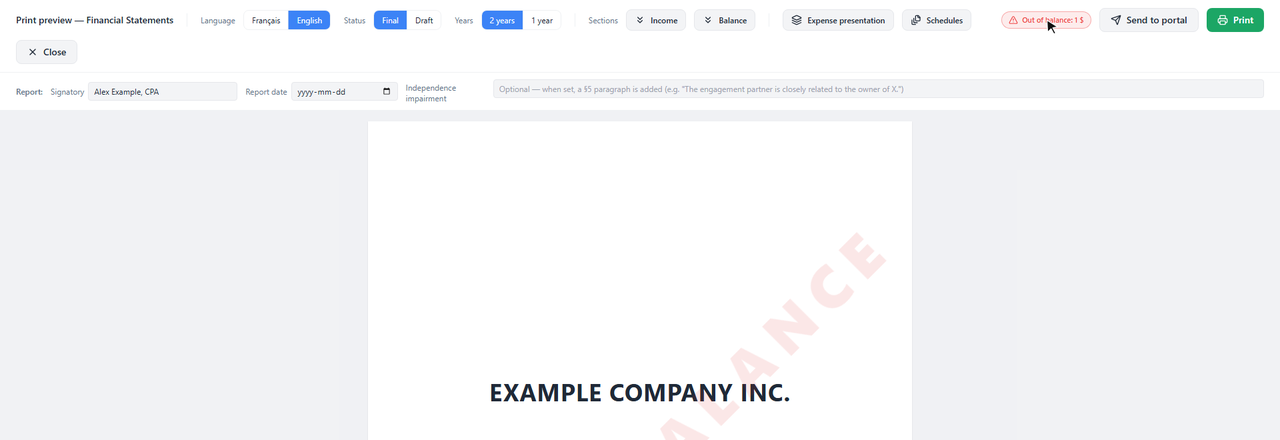
The badge and the watermark make sure statements that don't balance never reach a client unnoticed.
Why
Financial statements are presented in whole dollars, and each account is rounded separately. To the cent, assets equal liabilities and equity; but the sum of the roundings on each side can differ by one or two dollars.
The Groupings page cross-checks in cents: if everything balances in cents, the gap is only a presentation rounding, not a data error.
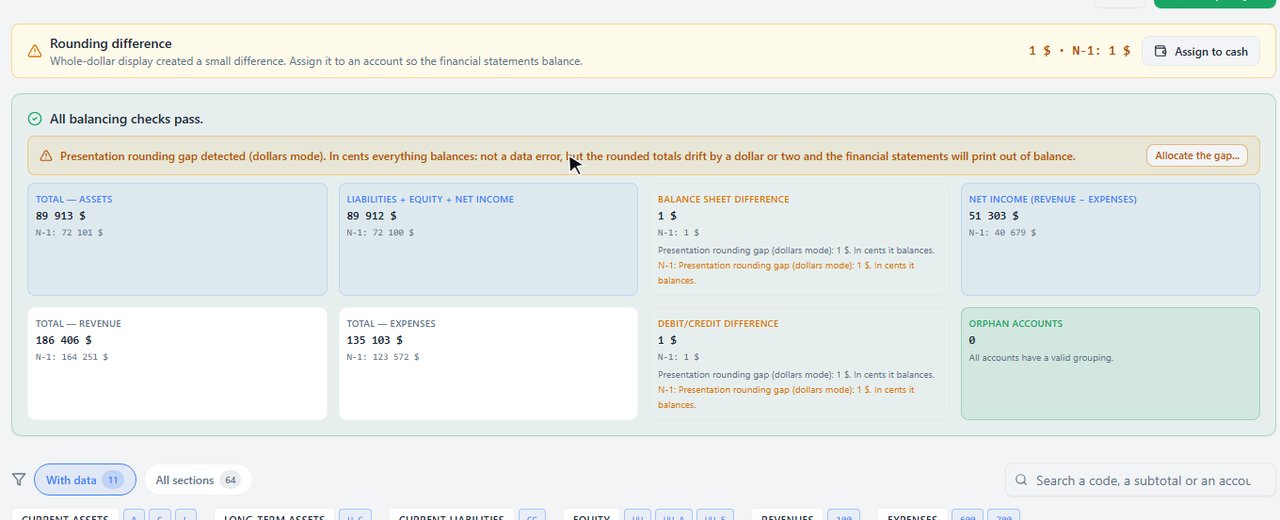
The "Balance sheet difference" card shows each year's gap (here $1 in the current and the prior year).
That's not rounding. Ledger doesn't offer to allocate it: look for the real cause in the trial balance (an account with no grouping, an account on the wrong side).
The fix
Open Groupings
In the engagement, left menu: Groupings (by group & GIFI).
Click "Allocate the gap..."
The button sits at the end of the amber banner. The prior-year gap is handled at the same time.
Choose the account that absorbs the dollar, then "Allocate"
Ledger suggests the largest asset balance (often cash): one dollar is negligible there. Avoid retained earnings if you care about exact year-over-year continuity.
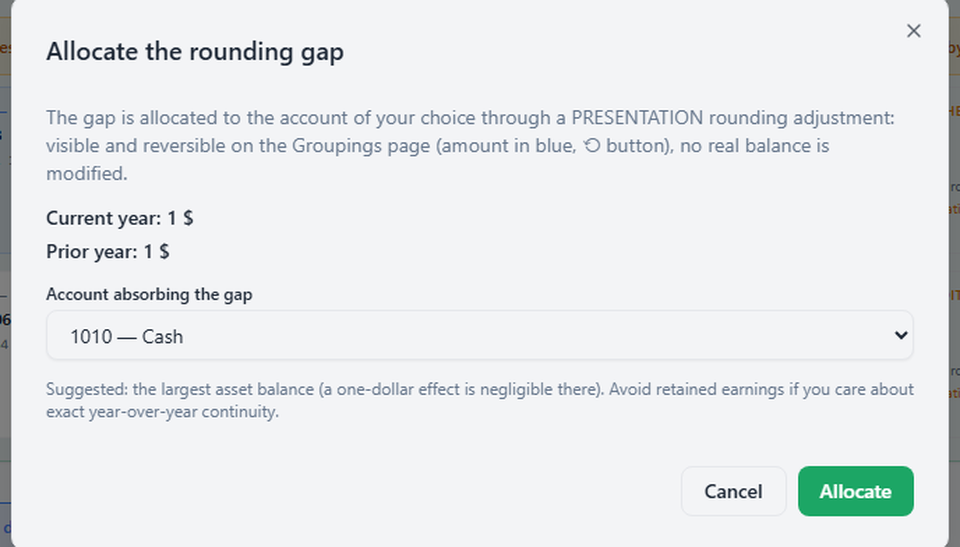
The gap drops to zero and, when printed, the balance sheet balances.
The "Rounding difference" card, at the top of Groupings, also offers Assign to cash: the same fix, on cash, for both years.
What it changes
- A presentation rounding adjustment is set on the chosen account. On the Groupings page, its amount shows in blue, with a ⟲ button that removes it.
- No actual balance changes: not the trial balance, not the client's books, not QuickBooks.
- At roll-forward, the year's adjustment carries over to the comparative automatically.
Frequently asked questions
Only the prior year is off. Does it work too?
Yes. The banner, the "Rounding difference" card ("N-1: $1") and the note under the balance sheet also flag the prior year, and the fix handles it.
How do I remove the adjustment?
On the Groupings page, click the ⟲ button next to the account's amount (shown in blue). The adjustment is removed and the out of balance reappears as it was.
What if I present the statements in cents?
Nothing is rounded, so there is no rounding gap. The Cents button on the Groupings page switches the display.